How to Install Jellyfin on a headless Ubuntu Server
Install Jellyfin media server on a headless Ubuntu Server and stream your library to any device. Full setup from the terminal.
Stream Your Media Anywhere with Jellyfin on Ubuntu Server (Simplified)
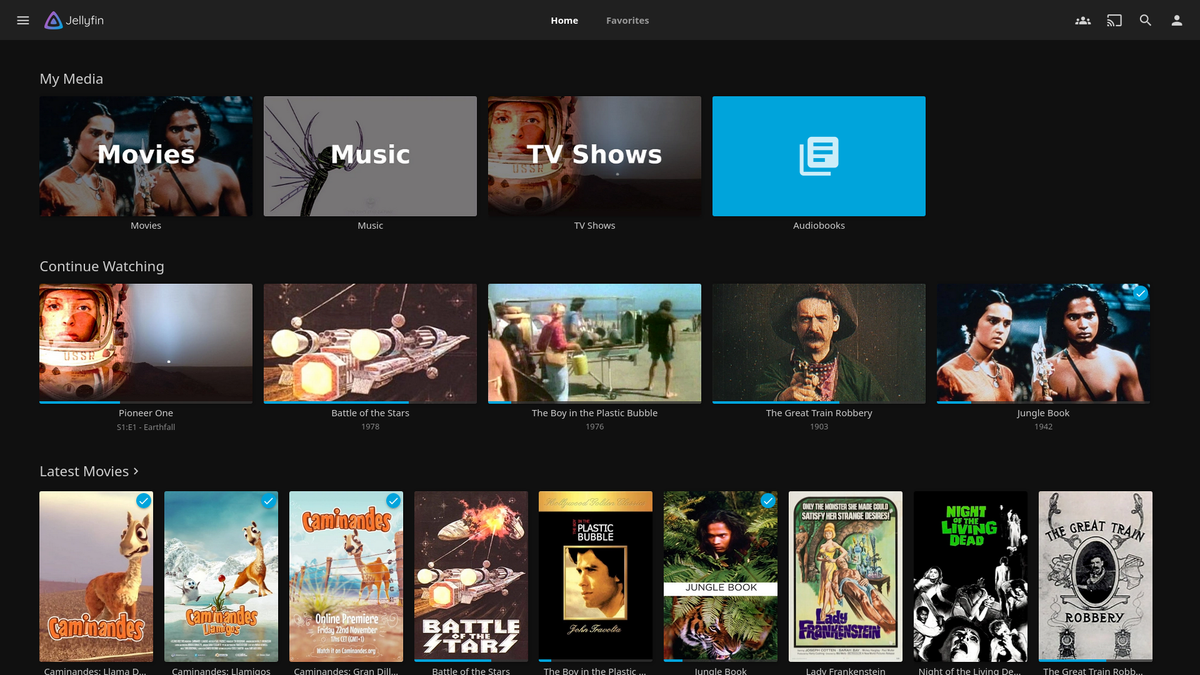
Want to build your own personal Netflix? Jellyfin is a powerful, open-source media server that lets you stream your movies, TV shows, music, and photos to any device. And setting it up on a headless Ubuntu server is incredibly easy!
Why Jellyfin?
- Free and Open Source: No licensing fees or vendor lock-in. You have complete control over your media server.
- Cross-Platform: Access your media from any device with Jellyfin apps for web browsers, smartphones, smart TVs, and more.
- No Tracking: Jellyfin respects your privacy and doesn't collect your viewing data.
Let's get started!
Prerequisites:
- A headless Ubuntu Server (version 20.04 or later recommended) with SSH access.
- A stable internet connection.
Installation (Super Simple!):
- SSH into your Ubuntu Server.
- Install Jellyfin with one command: Bash
curl https://repo.jellyfin.org/install-debuntu.sh | sudo bash
That's it! Jellyfin is now installed on your server. This script automatically handles adding the repository and installing the necessary packages.
Configuration:
- Access the Jellyfin web interface: Open a web browser and go to
http://[your-server-ip]:8096. - Complete the initial setup wizard: Follow the on-screen prompts to configure your username, password, media libraries, and preferred language.
Tips for Headless Setup:
- Enable HTTPS: For secure access, enable HTTPS in the Jellyfin dashboard. You can use Let's Encrypt to obtain a free SSL certificate.
- Configure Port Forwarding: If you want to access your Jellyfin server from outside your home network, you'll need to configure port forwarding on your router.
- Use a Dynamic DNS service: If your server has a dynamic IP address, use a dynamic DNS service to keep track of its changing IP.
Enjoy Your Personal Media Server!
With Jellyfin installed on your headless Ubuntu server, you now have a powerful and private media streaming solution. Start adding your media libraries and enjoy your favorite content on any device, anywhere.
Optional Enhancements:
- Install Plugins: Explore the Jellyfin plugin catalog to add features like live TV, metadata agents, and more.
- Hardware Acceleration: If your server has a compatible graphics card, enable hardware acceleration in Jellyfin for smoother playback and reduced CPU usage.
Troubleshooting:
If you encounter any issues, check the Jellyfin documentation and community forums for solutions.
Conclusion:
Setting up Jellyfin on a headless Ubuntu server is incredibly easy, especially with the simplified installation script. Enjoy the freedom and flexibility of your own personal media server!